
PCB Test Point Design Guide: How to Improve ICT, Flying Probe, and Functional Test Access
SUNTOP Electronics
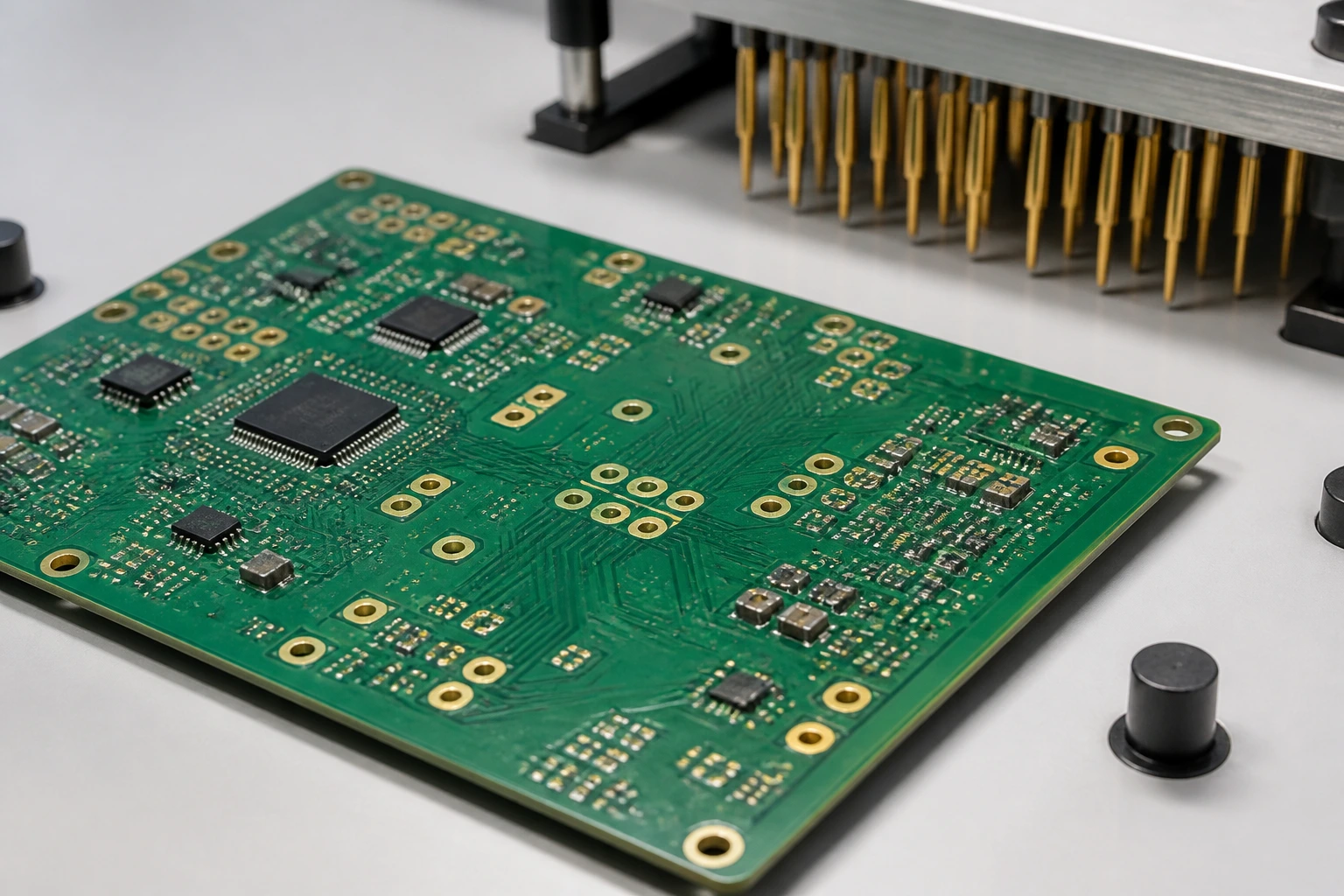
PCB test point design is one of the easiest things to postpone during layout and one of the most painful things to fix after boards arrive for build. A board can be electrically correct and still be awkward to inspect, slow to debug, or difficult to validate if the team never planned clean access to key nets, rails, interfaces, and programming points.
That is why PCB test point design should be reviewed before fabrication or assembly release, not after the first prototype exposes the gap. Good test access helps engineering teams debug faster, helps contract manufacturers prepare more realistic validation steps, and helps sourcing teams compare whether a supplier is supporting only assembly or also practical production test readiness. In other words, PCB test point design affects not only debugging convenience but also how smoothly the board moves into repeatable validation.
In broader design for testing, the goal is to make verification practical during manufacturing instead of leaving it to improvised bench work. In real PCB programs, that means deciding early which signals matter, where probes or fixtures can land, what the assembly process may block later, and how the release package should explain test intent.
This guide explains what good test-point planning means in practice, where placement decisions matter most, how the approach changes with ICT, flying probe, or functional validation, and what to send a manufacturing partner before quote or build.
What PCB Test Point Design Means and Why It Matters Before Build Release
PCB test point design means planning accessible electrical contact locations so a board can be checked, programmed, debugged, or validated without guesswork. It is not only about dropping extra pads onto a layout. It is about making sure the points that matter are still reachable after assembly, panelization, fixture setup, and real handling constraints enter the picture.
A useful test-access review usually asks practical questions such as:
- which rails, clocks, buses, reset lines, and interfaces may need access
- whether access is needed for ICT, flying probe, functional test, firmware loading, or debug
- whether probe contact will remain reliable after components, shields, connectors, or enclosures are added
- whether the chosen access points support repeatable testing instead of one-off bench probing
This matters because weak access planning creates downstream cost in many forms. Debug takes longer. The manufacturer may need clarifications before quoting test support. Operators may rely on unstable manual clips. A fixture may become larger, slower, or less reliable than it needed to be. In short, test-point planning is part of release quality, not a cosmetic add-on.
Where to Place PCB Test Points for Access Coverage and Fixture Stability
The best test-point layout starts by deciding which nets truly need controlled access. Not every node deserves a dedicated pad, but important power rails, reset paths, communication lines, programming interfaces, and high-risk analog nodes often do.

Clear spacing around test pads helps probes contact important nets more reliably during debug and production validation.
Placement quality usually depends on four things:
- Reachability: the probe, pogo pin, or manual tool must physically land without colliding with tall parts, connectors, heatsinks, or shielding.
- Stability: the board should not flex excessively or require awkward pressure just to make contact.
- Clarity: engineering and manufacturing teams should understand what each access point is for.
- Process fit: the access pattern should still work after solder mask, panel rails, depanelization, and assembly sequence are considered.
A strong access strategy also groups related access logically when that improves fixture routing or debug flow. That does not mean clustering everything into one crowded corner. It means making access deliberate enough that technicians and production fixtures can work consistently.
If the board is headed into quality testing services or broader manufacturing validation, it is worth checking test-point accessibility with the assembly context in mind instead of reviewing the bare layout alone.
How PCB Test Point Design Changes With ICT, Flying Probe, and Functional Test Strategy
Test-point planning should reflect the test method the program is likely to use. A layout that is acceptable for bench debug may still be weak for fixture-based production test.
For boards that may use in-circuit test, access usually needs to be more structured because dedicated fixtures depend on predictable contact locations and support. If the board may rely on a flying probe tester, the layout may tolerate more flexibility, but probe time, pad accessibility, and fixture assumptions still matter.
Functional validation adds another layer. The board may need power input, programming headers, communication ports, or controlled access to signals that are not part of a classic ICT net list. In that case, the access plan should work together with connector planning and mechanical support rather than being treated as a separate checklist.
This is also where teams should distinguish between prototype convenience and production discipline. A prototype may survive with more manual access. A repeatable manufacturing flow usually needs clearer access logic that supports the PCB assembly service workflow without improvisation.
Mechanical Panel and Documentation Details Teams Often Miss
Many access problems are not caused by the electrical nets themselves. They come from mechanical or documentation details that were never reviewed alongside the layout.
Common misses include:
- test points placed too close to rails, tabs, or breakaway features
- access pads blocked by final enclosure assumptions or daughtercard stacking
- no clear note about which side of the board should be contacted
- reference naming or debug notes that exist in email but not in the release package
- fixture support needs ignored even though probe pressure may bend the board
A solid access review should also consider whether contact is expected on one side or both sides of the board, whether the board will need local support under probe pressure, and whether assembly changes could later hide intended access. Those details matter just as much as net selection when a test setup must be repeatable.
Common PCB Test Point Design Mistakes That Slow Debug or Production
The most common mistake in this area is waiting until after layout release to ask what needs to be measured. By then, the available space is already committed and every new access pad competes with routing, copper, or assembly constraints.
Another mistake is assuming that debug pads are automatically good production-test pads. A point that is reachable once with a handheld probe may still be too crowded, fragile, or inconsistent for repeated use in manufacturing.
Teams also create problems when they add access points without clarifying purpose. If the manufacturer cannot tell whether a pad is for programming, power verification, analog measurement, or a potential fixture contact, the handoff becomes slower and less reliable.
Finally, some projects overdesign test access while ignoring the actual product risk. Good test-point planning is selective. It should support meaningful verification, not turn the layout into a field of pads that adds complexity without improving yield or debug speed.
How to Hand Off PCB Test Point Design Intent to Your PCBA Partner
A manufacturer can only review test readiness clearly if the release package explains what the layout intends. That usually means sharing more than Gerbers and a BOM.
A better handoff package for test access often includes:
- the board revision and assembly files that match the intended test access
- notes on which nets, rails, or interfaces need reliable contact
- programming or debug expectations if firmware loading matters
- any side-specific contact assumptions or fixture support concerns
- whether the board is aimed at ICT, flying probe, functional validation, or a staged combination
- any areas where the supplier should suggest better access before build
When those details are shared early, the supplier can comment on whether the access plan is practical for prototype work, scalable for production, or likely to create fixture or handling problems. That conversation often reveals whether the current PCB test point design is strong enough before the first build starts. If you want that review before locking the build, the cleanest next step is usually a short discussion through the contact page.
FAQ About PCB Test Point Design
Does every PCB need dedicated test points?
No. The right level of access depends on product complexity, debug risk, production volume, and the planned test method. The goal of this work is not maximum pad count. It is useful, reachable access where it actually supports verification.
Should PCB test point design be handled by layout only?
No. Layout owns placement, but effective planning usually needs input from hardware, test, manufacturing, and sometimes sourcing teams so the access strategy matches real build and validation needs.
When should a manufacturer review PCB test point design?
Ideally before fabrication or assembly release, especially if the board may need ICT, flying probe, programming support, or repeatable functional validation. Early review is cheaper than adding awkward fixes after the first build.
Conclusion
Test-point planning is a small layout decision area with a large effect on debug speed, fixture practicality, and production readiness. When teams decide early what needs access, keep those points reachable through assembly reality, and explain the intent clearly to a manufacturing partner, they reduce avoidable delay between first layout and reliable board validation.